Error: Drilling Operation May Not Have Been Performed
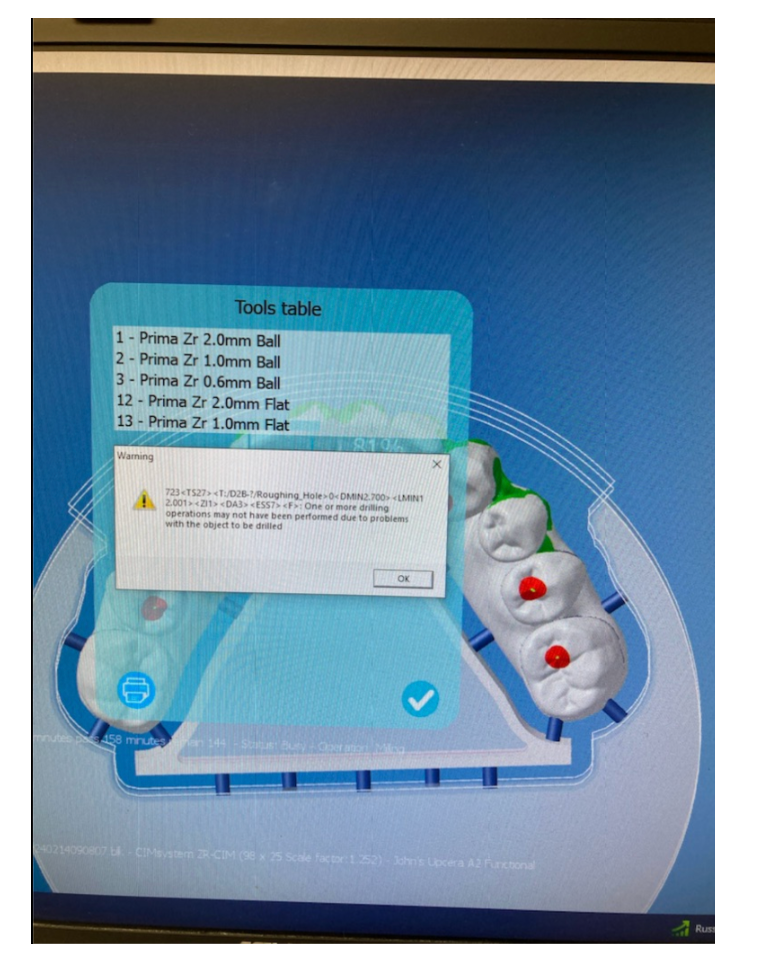
During toolpath calculation, you may encounter the following message in your CAM Log:
Sample Error:
723<TS27><T:/D2B-?/Roughing_Hole>0<DMIN2.700><LMIN12.001><ZI1><DA3><ESS7><F>
Description: One or more drilling operations may not have been performed due to problems with the object to be drilled.
Cause
This error typically occurs when the software cannot properly identify or execute one or more drilling operations during calculation. The most common causes include:
Incorrect or incomplete STL nesting
Misaligned or misplaced Margin Lines or Emergence Profile Curves
Incorrect positioning of the Drilling Axes or Screw Channel Profile
Resolution
Open the affected case and review the nesting orientation of the STL file.
Verify that all Margin Lines, Emergence Profiles, and Drilling Axes are correctly aligned.
Make any necessary adjustments to the geometry or positioning.
Recalculate the job.
If the issue persists, open the STL file in a 3D viewer to visually inspect for alignment errors or geometry gaps before recalculating again.
Need Further Help?
Still have questions? Reach out via our Support Portal or email us at support@levelupcadcam.com.
We’re here to help you Level Up.
Was this article helpful?
That’s Great!
Thank you for your feedback
Sorry! We couldn't be helpful
Thank you for your feedback
Feedback sent
We appreciate your effort and will try to fix the article